
Number Base Converter – Convert Numbers Between Binary, Decimal, Octal & Hexadecimal
A number base converter changes a number from one base to another, for example binary to decimal or decimal to hexadecimal, without changing its value. You type the number, pick the base it is in, and it shows the same value in binary, octal, decimal and hexadecimal at once.
I first needed one of these in a networking lab, staring at an IP address in binary and trying to work out which bits belonged to the network part and which to the host part. I did it by hand that day, got one bit wrong, and spent an hour chasing a subnet mask that did not exist. These days I reach for the Number Base Converter before I reach for a pencil, not because I cannot do the maths, but because a single slipped digit in binary can send you down a very long dead end. This page explains how the four number systems work, how conversion works, and how to use the tool above to move between them in seconds.
By the end of this page you will know what each base is for, how to move a value between bases by hand, and how to get the most out of the tool above. Whether you are a student working through your first binary homework, a developer reading a hex dump, or a network engineer checking a subnet, the method is the same, and it is simpler than it first looks. The examples use numbers I picked for this page, and every one is worked out in full, so you can follow along with a pencil if you want to.
What Is a Number Base Converter?
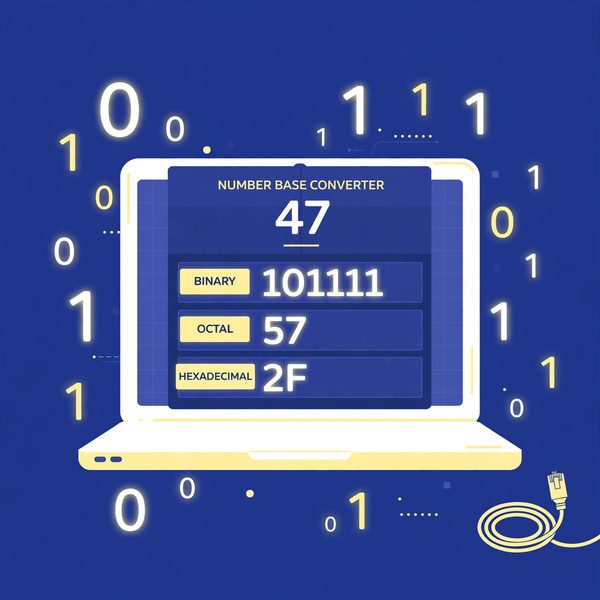
A number base converter is a small tool that takes a number written in one base and rewrites it in another base, keeping the value exactly the same. The number 47 in decimal, 101111 in binary, 57 in octal and 2F in hexadecimal are all the same quantity, just written in four different ways. A number system converter like this one simply does the rewriting for you, so you can read a value in whichever form makes sense for the job in front of you.
Think of it like translating a sentence between languages. The meaning does not change, only the words. A number base conversion calculator does the same for numbers: it reads the digits in the base you give it, works out the value, and writes that value out again in the base you want. The Number Base Converter on CalcSolver goes one step further and shows all four forms at once, so you can compare binary, octal, decimal and hexadecimal side by side.
The four bases this tool covers are the four that show up in real computing work. Binary is the language of the hardware itself. Octal survives in file permissions. Decimal is the system humans count in. Hexadecimal is the shorthand that keeps long binary values readable. Other bases exist in specialist corners of computing, but for everyday work these four cover almost everything you will ever need to convert. If you have only ever counted in decimal, the idea that the same value can look completely different in another base feels strange at first, and that strangeness is normal. It fades the first time you convert a number you already know, like your age or your house number, and watch it come back as a string of ones and zeros that still means the same thing.
Programmers use it to read memory addresses and colour codes. Network engineers use it to work out subnet masks. Electronics hobbyists use it to set DIP switches and read datasheets. Students meet it in computer science classes, usually right around the time binary starts to feel like a wall. Whoever you are, the skill is the same: knowing that the base is only the packaging, and the value inside never changes. A base conversion calculator just makes that skill fast enough to use in the middle of real work.
Understanding Different Number Systems
Every number system is built on the same idea, positional notation. Each digit is worth its face value times the base raised to the power of its position, counting from zero on the right. The only thing that changes between systems is the base, also called the radix. Once you see that, a number base converter stops looking like magic and starts looking like bookkeeping. This number system converter works with the four bases you will meet most often, and each one has a job it does best.
Binary Number System (Base 2)
Binary uses only two digits, 0 and 1, because it matches how hardware actually works: a switch is either off or on, a voltage is either low or high. Each position is worth twice the one to its right, so the place values run 1, 2, 4, 8, 16, 32, 64 and 128. That is why 1011 in binary means 8 + 0 + 2 + 1, which is 11 in decimal. Binary numbers get long fast, which is exactly why I run them through a number base converter instead of adding columns in my head. A byte is eight bits, and eight bits give you 256 possible values, from all zeros to all ones. That range is why an IP address part and a colour channel are each stored in a single byte.
One more thing worth knowing: in signed 8-bit arithmetic, the pattern 11111111 means -1 in two’s complement, because the top bit carries the sign, not the value 128. That is a detail converters do not decide for you, so check whether your value is signed before you trust the decimal reading.
Decimal Number System (Base 10)
Decimal is the system you learned first, and the one your brain treats as normal. Ten digits, 0 through 9, with place values that grow by tens: ones, tens, hundreds, thousands. The number 473 means 4 hundreds plus 7 tens plus 3 ones, or 400 + 70 + 3. We use base 10 because we have ten fingers, and honestly that is the whole reason. It is a historical accident, not a law of nature, and computers would find it deeply inconvenient. Decimal is the home base you convert back to when you want to check what a binary or hex value actually means in ordinary terms.
Octal Number System (Base 8)
Octal uses eight digits, 0 through 7, and each position is worth eight times the one to its right. It was popular on older machines with 12-bit and 36-bit word sizes, because three binary digits group neatly into one octal digit. These days you mostly meet octal in one place: Unix file permissions. The permission 644, which you will see on half the files on a Linux server, is three octal digits, 6, 4 and 4, and each one stands for three binary bits, 110, 100 and 100. Read together, 644 in octal is 110100100 in binary, which is 420 in decimal. If you have ever typed chmod and wondered what the numbers meant, that is what they meant.
Hexadecimal Number System (Base 16)
Hexadecimal uses sixteen digits, 0 through 9 plus the letters A to F, where A stands for 10 and F stands for 15. Each hex digit holds exactly four binary bits, one nibble, which is why hex is the shorthand programmers reach for. A byte becomes two hex digits instead of eight binary ones. The colour code #4A90E2, for example, is three bytes written as hex: 4A is 74, 90 is 144 and E2 is 226, the red, green and blue levels of a medium blue. When I am debugging and a log file shows me a memory address or a MAC address, I read it in hex first and only reach for a base conversion calculator when I need the decimal value for a calculation.
How to Use the Number Base Converter?
Using this number base conversion calculator takes about ten seconds, and there is nothing to install. The whole point of a base conversion calculator is that the Number Base Converter does the arithmetic and you do the thinking, so the steps below are short on purpose. It asks for two things, the number and the base it is written in, and then shows you every form at once. The Number Base Converter opens with 1024 already in the ‘Type a number’ box and the base set to Decimal (base 10).
Enter Your Number
Type the number into the input box, exactly as you have it. The box already holds 1024 when the page opens, so clear it first if your number is different. If you copied it from a log file or a datasheet, paste it in and check for stray spaces or characters at the ends, because those are the most common reason a conversion fails. The number base converter reads the digits you give it, so a leading zero is harmless but a letter in a binary number is not. If your value came with a prefix like 0x for hex or 0b for binary, drop the prefix and type the digits only.
Select the Original Base
This is the step that catches people out, so here it is plainly. The Number Base Converter only asks you to pick the base your number is already in, the original base. The dropdown is labelled ‘This number is in’ and offers Decimal (base 10), Binary (base 2), Octal (base 8) and Hexadecimal (base 16), with Decimal selected when the page opens. You do not pick a target base at all, because the number base converter shows the result in all four bases at the same time. So if your number is 101111 and you know it is binary, choose binary as the source base and you will see 47 in decimal, 57 in octal and 2F in hexadecimal. The one thing to get right is the source base itself. Tell the tool your number is decimal when it is actually hex, and every answer it gives you will be wrong, however confident it looks.
Convert and View the Results
Press Convert and read the four results. Under the four answers, the Number Base Converter shows two Steps lines. For 47 in decimal they read: ‘1. 47 in base 10 equals 47 in decimal.’ and ‘2. Binary: 101111, Octal: 57, Hexadecimal: 2F.’ Each one is the same value in a different base, so pick the form your task needs and ignore the rest for now. I usually glance at the decimal form first, just to check the answer is in the range I expected, and then copy the form I actually need, often the hex for a colour code or the binary for a bit mask. If a result looks wildly wrong, do not trust it. Check the source base you selected, check the digits you typed, and run it once more. The Number Base Converter is fast, but it cannot know you meant hex when you told it decimal.
How Does Number Base Conversion Work?
Underneath, every conversion follows the same two-step idea, and once you see it you can convert number to any base by hand, even if you never want to. First the Number Base Converter reads your digits in the source base and works out the value, which is really a decimal value in its head. Then it rewrites that value in the target base. The Number Base Converter hides both steps behind one button, but knowing what happens inside is what lets you spot a wrong answer when one appears.
Understanding Positional Notation
Positional notation is the rule that a digit’s worth depends on where it sits. In decimal, the 4 in 473 is worth 400 because it sits in the hundreds place. The same rule runs every base. In binary, 1100 means 1 eight plus 1 four plus 0 twos plus 0 ones, which is 12. In hexadecimal, 2F means 2 sixteens plus 15 ones, which is 47. The base tells you how much each position is worth, and the exponent tells you which position you are on, counting from zero at the right. When this clicks, conversion stops feeling like a trick and starts feeling like reading the same number in a different accent. The Number Base Converter applies this same rule to every number you type.
Converting a Number Between Different Bases
There are two directions, and each has its own method. To go from any base to decimal, multiply each digit by its place value and add the results. That is how 110101 in binary becomes 32 + 16 + 0 + 4 + 0 + 1, which is 53. To go from decimal to another base, divide by the target base again and again and keep the remainders. The remainders, read from the last one back to the first, spell out the answer. Going between two non-decimal bases usually passes through decimal in the middle, except for binary, octal and hex, which convert by grouping digits, as the examples below show. The Number Base Converter follows the same two methods, so a hand answer and a tool answer should always agree.
Step-by-Step Conversion Example
Let me walk through one conversion slowly, because this is the one I still do on paper when I want to check a tool. Take 93 in decimal and turn it into binary. Divide by 2 and keep the remainder each time: 93 divided by 2 is 46 remainder 1, 46 divided by 2 is 23 remainder 0, 23 divided by 2 is 11 remainder 1, 11 divided by 2 is 5 remainder 1, 5 divided by 2 is 2 remainder 1, 2 divided by 2 is 1 remainder 0, and 1 divided by 2 is 0 remainder 1. Now read the remainders from the bottom up: 1, 0, 1, 1, 1, 0, 1. The answer is 1011101. Check it by adding the place values: 64 + 16 + 8 + 4 + 1 is 93. That check takes five seconds and it is the habit that saves you when a converter gives you an answer you did not expect. Run the same number through the Number Base Converter and you should see 1011101 in binary, 135 in octal and 5D in hexadecimal, three forms of the same 93.
Common Number Base Conversion Examples
The examples below use fresh numbers, and each one is worked out in full so you can follow every step. If you want to check your own working, run each number through a number base converter as you go. A good number system converter is a tutor as much as a tool: when you can convert number to any base on paper and the tool agrees with you, that is when the method really sticks.
Binary to Decimal Conversion
Take the binary number 110101 and read it from the right, giving each 1 its place value: 1, 4, 16 and 32. Add them up, 32 + 16 + 4 + 1, and you get 53. That is all binary to decimal ever is, a short addition once you know the place values. The mistake I see most often, and the one I made myself for months, is counting the positions from the left instead of the right, which shifts every value by a power of two. Count from the right, always, and the answer comes out right.
Decimal to Binary Conversion
Now the other direction. Take 37 and divide by 2, keeping the remainders: 37 gives 18 remainder 1, 18 gives 9 remainder 0, 9 gives 4 remainder 1, 4 gives 2 remainder 0, 2 gives 1 remainder 0, and 1 gives 0 remainder 1. Read the remainders from the bottom up and you get 100101. Check it: 32 + 4 + 1 is 37. If your number is large, the list of remainders gets long, and that is the point where hand conversion stops being fun. I still do small ones like this on paper, because it keeps the method fresh, but anything over a few hundred goes straight into the converter.
Decimal to Hexadecimal Conversion
Hexadecimal works the same way, except you divide by 16 and the remainders above 9 become letters. Take 650. Divide by 16 and you get 40 remainder 10, which is A. Divide 40 by 16 and you get 2 remainder 8. Divide 2 by 16 and you get 0 remainder 2. Read the remainders from the bottom up: 2, 8, A. The answer is 28A. Check it by expanding: 2 times 256 is 512, 8 times 16 is 128, and A is 10, which adds up to 650. Run 650 through the Number Base Converter and you will see the same 28A, along with 1010001010 in binary and 1212 in octal. This is the conversion I use most at work, because memory sizes, colour values and addresses all live in hex, and being able to sanity check a hex value against its decimal size saves real debugging time.
Hexadecimal to Decimal Conversion
Going back is just place values again. Take 3A7. The 3 sits in the 256s place, the A sits in the 16s place and is worth 10, and the 7 sits in the ones place. So the value is 3 times 256, which is 768, plus 10 times 16, which is 160, plus 7, which comes to 935. The only new skill here is remembering that A is 10, B is 11, C is 12, D is 13, E is 14 and F is 15. Once those six letters are automatic, hex to decimal is no harder than reading a price tag.
Binary to Octal and Hexadecimal Conversion
This is the shortcut that makes binary bearable. Because 8 is 2 to the power of 3, you can turn binary into octal by grouping the bits in threes from the right. Because 16 is 2 to the power of 4, you can turn binary into hex by grouping the bits in fours. Take 11010111. In threes it splits as 11, 010 and 111, which is 3, 2 and 7, so the octal form is 327. In fours it splits as 1101 and 0111, which is D and 7, so the hex form is D7. Both are the same value, 215 in decimal. Pad with leading zeros on the left if a group comes up short, and never pad on the right, because that changes the value.
Common Uses of Number Base Conversion
Base conversion is not a classroom exercise. It shows up in real work every day, usually at the exact moment you are in a hurry. The Number Base Converter earns its place in your bookmarks the first time it saves you from hand converting an address at midnight, and a number system converter that shows every base at once is worth more than one that makes you convert twice.
Computer Programming and Software Development
Programmers live in hex and binary more than they admit. Memory addresses, error codes, bit flags and colour values all arrive in hex, and bit masks arrive in binary. I once spent an afternoon wondering why a feature flag was not switching on, until I converted the mask and saw I had set bit 4 instead of bit 5, a difference of 16 in decimal and a completely different behaviour in the code. ASCII is another daily meeting point. The letter A is 65 in decimal, 01000001 in binary and 41 in hex, and the lowercase a is 97, which is 61 in hex. When you see those numbers in a debugger, knowing they are letters changes everything. The Number Base Converter turns that kind of guessing into a ten second check.
Digital Electronics and Computer Hardware
In electronics, base conversion is how you talk to the hardware. DIP switches are set in binary, register values are printed in hex in datasheets, and a nibble, four bits, maps to exactly one hex digit, which is why a byte shows up as two hex characters on a display. I learned this the practical way, setting jumpers on a board from a datasheet table and getting the address wrong twice before I slowed down and converted each value properly. The board did not care about my hurry. It only cared about the bits. If you work with microcontrollers, FPGAs or even a Raspberry Pi, converting between binary, hex and decimal becomes as routine as reading a resistor colour code.
Networking and Data Representation
Networking runs on binary, even when it hides behind dots. An IPv4 address like 192.168.0.1 is four bytes written in decimal for humans, but the router sees 32 bits. The first part, 192, is 11000000 in binary and C0 in hex, and 168 is 10101000 in binary and A8 in hex. Subnet masks are bit patterns too, and working out which addresses belong to a network means looking at the binary, not the decimal. MAC addresses are written in hex for the same reason, six pairs of hex digits that would be unreadable as 48 ones and zeros. The first time I had to carve a network into subnets by hand, I did every address in binary on paper. I still can. I just do not, unless I am checking a tool.
Benefits of Using a Number Base Conversion Calculator
The first benefit is speed. A conversion that takes two minutes by hand, with a division ladder and a careful check, takes seconds in a number base converter. That matters most when you are converting more than one number, because hand conversion does not just get slower, it gets less reliable with every repetition. The second benefit is accuracy. A number base conversion calculator does not misread a digit or drop a remainder, and when the tool shows all four bases together you can cross check the answer against the form you already know.
The third benefit is learning. When you can convert number to any base by hand and then check yourself against the tool, mistakes become lessons instead of mysteries. I learned hex this way, converting colour codes on paper and checking them in the converter until the answers started coming without the working. The fourth benefit is confidence in front of other people. Nobody wants to be the person who reads out a wrong address in a meeting. The Number Base Converter lets you check before you speak, and it is free to use, so the cost of checking is zero and the cost of not checking can be an afternoon. That is why it stays in my bookmarks long after the exam or the project that first needed it is over.
There is a quieter benefit too, and it is the one I value most. A converter you trust becomes a second pair of eyes. I still check myself this way: 180 in decimal should come out as B4 in hex, and if it does not, I know I typed something wrong before the mistake reaches anyone else. Students can use the same habit for homework, checking each hand conversion against the tool until the method feels natural. And when you are the person explaining binary to someone else, showing the same value in all four forms at once makes the idea land faster than any amount of talking. That habit, convert by hand first and check second, is how the skill actually sticks, and it is the reason I still keep the tool open even on jobs I could do without it.
Common Number Conversion Errors and How to Avoid Them?
The most common error is picking the wrong source base. Tell the tool a hex number is decimal and it will happily give you four wrong answers. The Number Base Converter trusts the base you pick, so always check it before you press Convert, especially when you paste a value from somewhere else. The second error is an invalid digit, a 2 or a 3 in a binary number, an 8 or a 9 in octal, or a letter past F in hex. These slip in when you copy a value by hand, and they are easy to miss in a long string of digits.
The third error is reading the remainders the wrong way round in a hand conversion. Remainders are read from the last division back to the first, and reading them top to bottom gives you the mirror image of the right answer. The fourth is dropping leading zeros when they matter. In a bit mask or an address, 0010 and 10 are different patterns even though they hold the same value, so keep the width your task needs. The fifth is mixing up similar looking digits, 0 and O, 1 and l, in a font that does not separate them. My rule is simple: run anything important through a base conversion calculator, and check the decimal form first. If the decimal value is not in the range you expected, something upstream is wrong, and a number base converter will not fix a mistake you typed into it.
Two smaller habits are worth building as well. First, remember that hex letters are not case sensitive, so 2f and 2F are the same value, 47 in decimal, and you do not need to worry if your source writes them in lowercase. I typed 2f into the tool and it gave back 2F, with the Steps line keeping my lowercase 2f. Second, watch out for prefixes. A value written as 0x2F is hex and a value written as 0b101111 is binary, and the prefix is part of the notation, not part of the number. Strip it before you type the digits, or you will be converting a value that was never there. I typed 0x2F into the Number Base Converter once and it answered ‘That is not a valid number in base 16.’ And if you are converting from a printed table or a whiteboard photo, read each digit twice, because a handwritten 1 and 7 can look identical in a hurry.
Frequently Asked Questions
What is a number base converter?
A number base converter is a tool that rewrites a number from one base to another without changing its value. It turns binary 101111 into decimal 47, octal 57 or hexadecimal 2F. You type the number, pick the base it is in, and the tool shows the same value in every base at once.
Which number bases does the converter support?
The converter supports four bases: binary (base 2), octal (base 8), decimal (base 10) and hexadecimal (base 16). You enter a number in any one of these bases and the tool shows the same value in all four forms at once, so one conversion gives you binary, octal, decimal and hexadecimal together.
How do I convert a number to any base?
To convert number to any base, type the value, pick the base it is in, and press Convert. The Number Base Converter works out the value and shows it in binary, octal, decimal and hexadecimal. By hand, convert to decimal first, then divide by the new base and keep the remainders.
What is the difference between binary and decimal?
Binary and decimal are two ways of writing the same values. Decimal uses ten digits, 0 to 9, with each position worth ten times the one to its right. Binary uses only 0 and 1, with each position worth twice the one to its right. So decimal 47 and binary 101111 are the same number.
How do I convert hexadecimal numbers?
To convert hexadecimal to decimal, multiply each digit by its place value and add them. The letters A to F stand for 10 to 15, so 3A7 means 3 times 256 plus 10 times 16 plus 7, totalling 935. To go the other way, divide by 16 and read the remainders from the bottom up.
Can I convert numbers with decimal points?
Most base converters handle whole numbers only, and decimal points need a separate method. By hand, convert the whole part as normal, then convert the fraction by multiplying it by the target base again and again and reading off the whole digits. For example, 0.5 in decimal is 0.1 in binary, and 0.75 is 0.11.
What happens if I enter an invalid digit?
An invalid digit is one that does not exist in the base you picked, like 2 in binary, 8 in octal, or G in hexadecimal. The Number Base Converter refuses it and shows ‘That is not a valid number in base 2.’ for a binary number, so check your digits before you convert. An empty box gives the same message for the selected base, for example ‘That is not a valid number in base 10.’ Read the number again, character by character, and fix anything outside the base’s range.
Is a number base converter free to use?
Yes. The Number Base Converter on CalcSolver is free to use. You can convert numbers in any of the four supported bases and check your hand working against the tool as often as you need. It runs in your browser, so there is nothing to install.